THE SMART-MONEY TRADING TERMINAL

Every money trail. One terminal.

Congress members, corporate insiders and federal agencies publish their moves in official filings. Insider Terminal reads them the second they land — so you act before the crowd.

$19.99 / month · cancel anytime · Windows desktop
For Windows 10/11 macOS — coming soon
Insider Terminal — Best Trades LIVE

Best Trades · ranked by signal strength

All 142Insider 61Gov 24Congress 41Momentum 16
TickerSourceStrengthAI
PLTRGOV CONGRESS
94
BUY
NVDAINSIDER ×4
88
BUY
GOOGLCONGRESS
71
HOLD
DELLGOV ×6
67
BUY
XOMCONGRESS
52
SELL
7-day free trial Cancel anytime Official public data: SEC · House · Senate Secure Stripe checkout

By the time it's on the news, the trade already happened.

But every one of those trades is filed in public documents — by law.

You just needed a machine that reads them first.

See how it works ↓
Inside the app — 16 dedicated tabs
Built on official public data SEC EDGARHouse ClerkSenate eFDUSAspending.gov
Insider Terminal by the numbers
8Live public data feeds — SEC EDGAR Form 4, 13F, 13D and 8-K filings plus financial quality, House and Senate STOCK Act disclosures, U.S. contract awards, live market prices
15Brokerages you can trade with from inside the app — E*Trade, Webull, tastytrade, Public, moomoo and more (38 connect for tracking)
6Languages in the app interface — EN · ES · PT · DE · FR · JA
LIVESignals refreshed continuously through the trading day

Wall Street tips its hand in public filings. Insider Terminal reads them first.

Inside the terminal

What's inside. Tab by tab.

No mystery boxes. This is every tab in the terminal and exactly what it shows you — in plain English.

Follow the smart money

· 4

Know what insiders, whales and Congress are buying — and selling — while it's still news to everyone else.

Smart Money

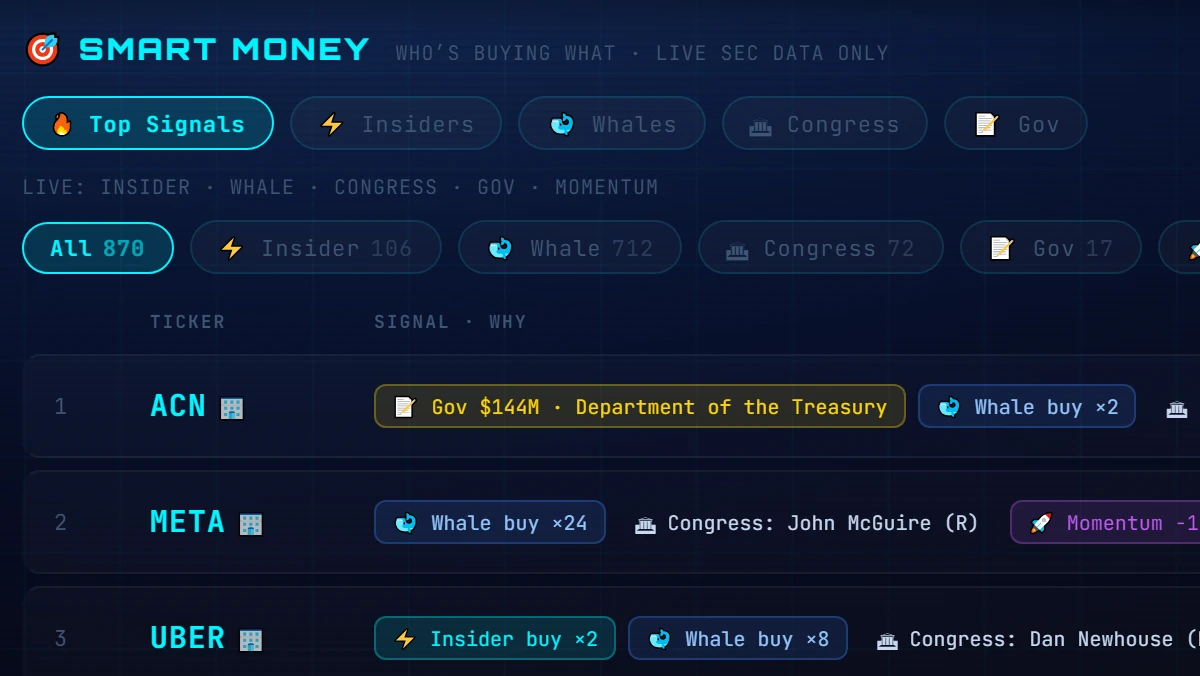
Every live signal — insider buys, Congress, contracts, momentum — merged into one board and ranked 0–100. Stocks flagged by several sources float to the top.

Insider Buys & Sells

Market-wide SEC Form 4 monitoring — every insider buy and sell, with a Buys / Sells / All toggle. Back-fills the last few days from SEC's daily index, and flags brand-new filings with a 🆕 TODAY chip.

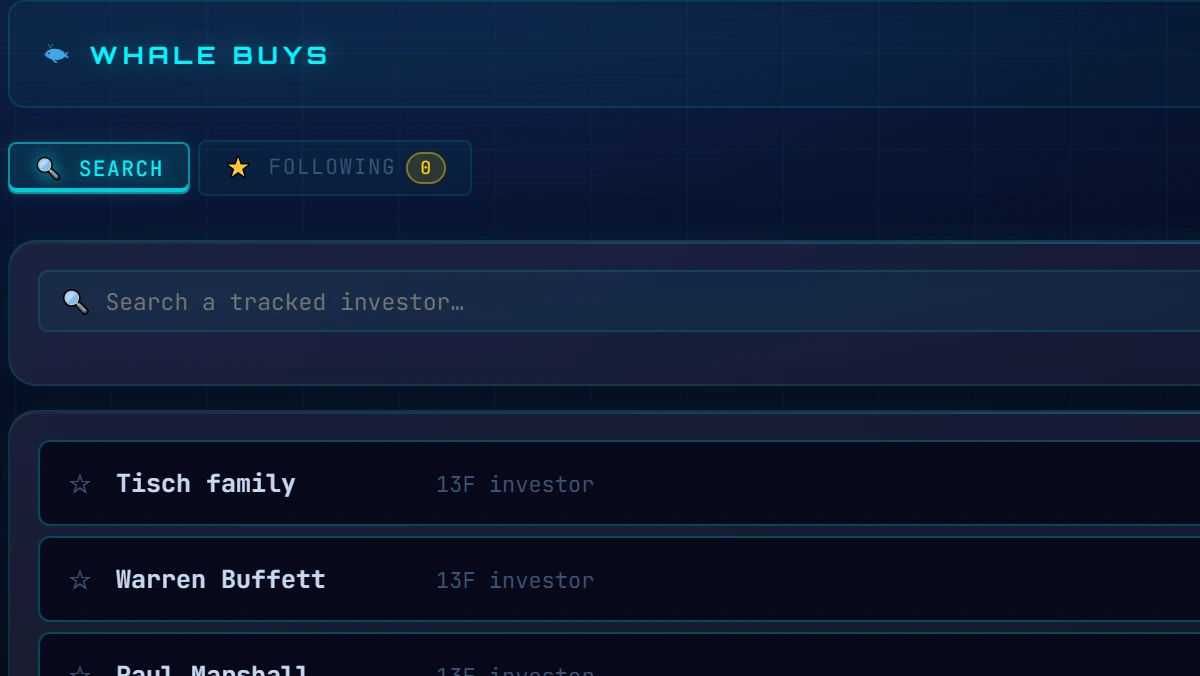
Whale Buys

What big funds and famous investors are buying — and how many tracked whales hold a stock.

Congress Trades

Every House and Senate STOCK Act disclosure, parsed and tagged by party and chamber.

Straight from the filings

· 3

Company profiles, contract awards and activist stakes — every row traces back to an official government filing you can open yourself.

Company Intel

Type any ticker for its official SEC EDGAR company profile — industry, HQ, incorporation — plus its subsidiaries from the 10-K Exhibit 21 (foreign entities flagged) and real federal contract awards from USASpending.gov.

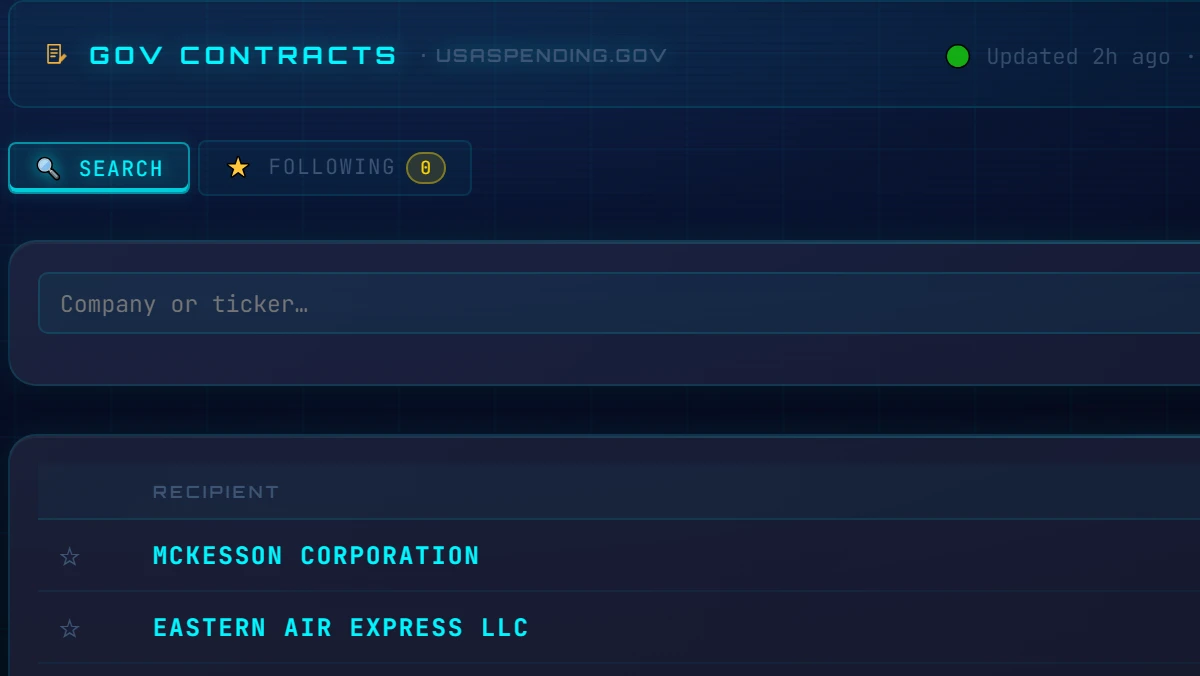
Gov Contracts

New U.S. government contract awards, matched to the publicly traded companies that won them.

SEC 13D

Activist investors taking large stakes in companies, straight from 13D filings.

Understand what you're seeing

· 4

Raw filings become a clear read — scored, charted and explained by an AI second opinion.

AI Analyst

An AI read on any ticker across every signal the terminal tracks, with a conviction score and a plain-English thesis. Bring your own AI key.

Dashboard

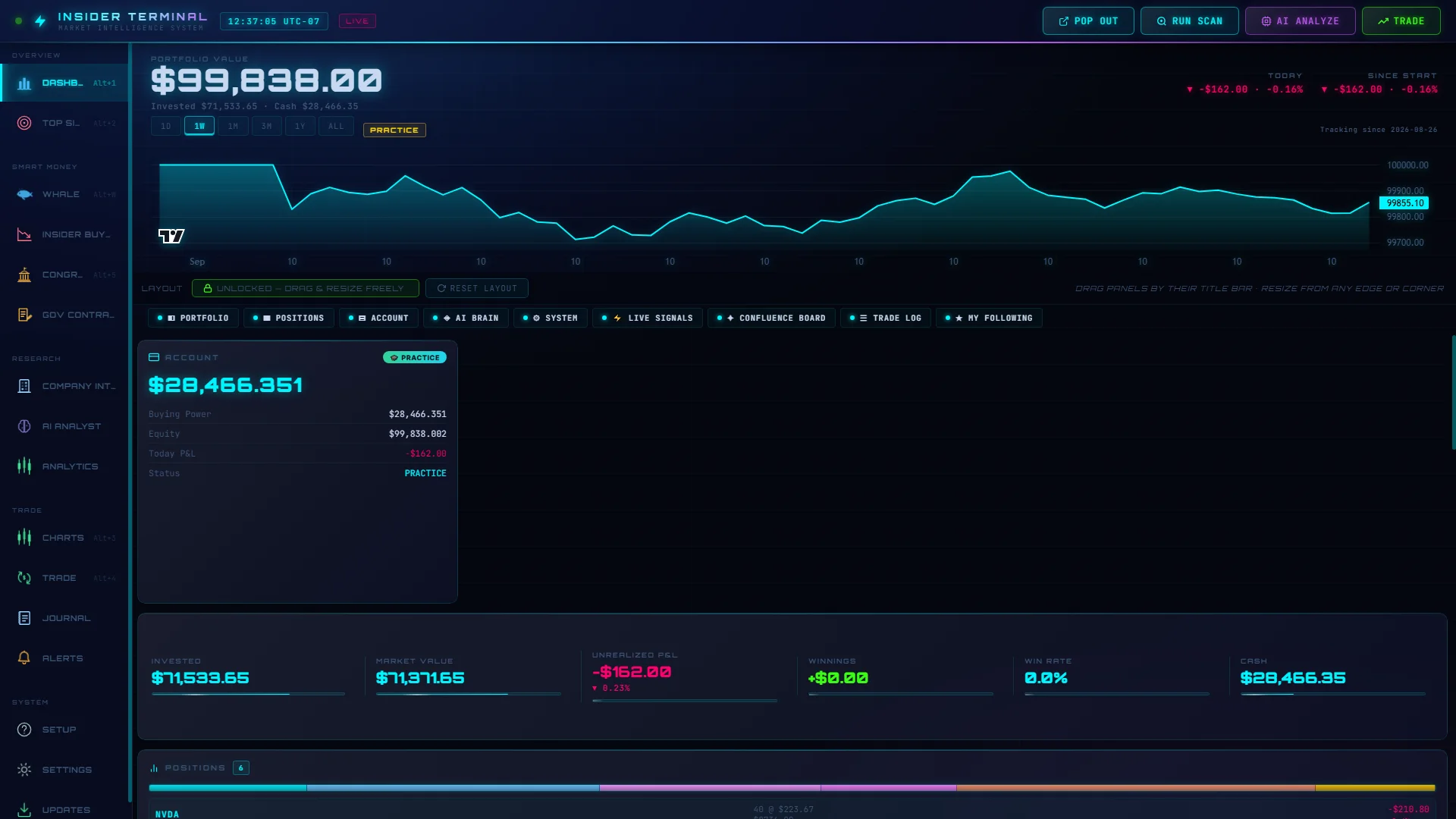
Your money at a glance — a big glowing portfolio value with today's and since-start changes, invested vs cash, and an equity growth chart from 1D to ALL that draws from day one. Panels cover portfolio stats, positions with an allocation bar, live signals, the confluence board, your trade log and who you follow.

Watchlist

The tickers you follow, with the insider activity happening on them.

Performance Analytics

Your own results, measured — win rate, profit and loss, and how your trading changes over time.

Act on it — and keep score

· 5

Go from signal to order in the same window — then measure what's actually working.

Trade

Place an order in a few clicks — you set the quantity, you confirm, with spending caps you control. Practice Mode is the default.

Charts

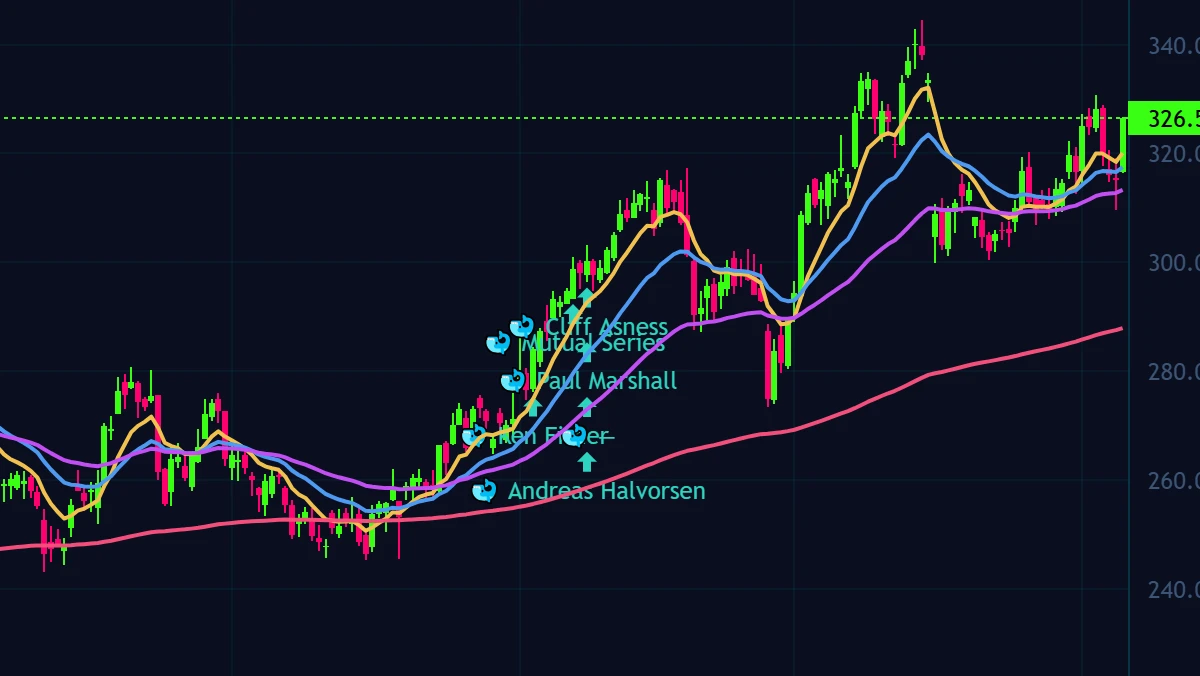
Professional charts with indicators, drawing tools and audio alerts.

Alerts

Price and signal alerts, so the terminal watches the market when you can't.

Portfolio

Your positions and P&L, live — from your practice account or your linked broker.

Trade Journal

Every trade logged, so you can review what worked and what didn't.

Plus a guided setup wizard, deep settings and themes, and automatic updates — all included.

A closer look

Exactly what you're getting.

Insider Terminal isn't another feed of raw data. It collects the signals that actually move stocks, ranks them, explains them, and lets you act — all in one professional Windows app.

Best Trades board

One ranked board of every real opportunity

Instead of ten separate tabs, the Best Trades board merges every live signal into a single ranked list — scored 0–100 by strength. When a stock shows up in more than one place (say a government contract AND a congressional buy), it's boosted to the top so the highest-conviction ideas are impossible to miss.

  • Insider buys, Congress, government contracts & momentum in one view
  • Strength score + confluence bonus surfaces the best setups first
  • Filter by source, click any ticker to chart it instantly
 Best Trades — ranked
PLTRGOV + CONGRESS94 · BUY
NVDAINSIDER ×488 · BUY
GOOGLCONGRESS71 · HOLD
Smart-money feeds

Follow the money that has an edge

Corporate insiders, members of Congress, and government agencies all telegraph their moves in public filings — but on slow, scattered government websites. Insider Terminal reads those filings for you in real time, cleans them up, and tags them so you can actually use them.
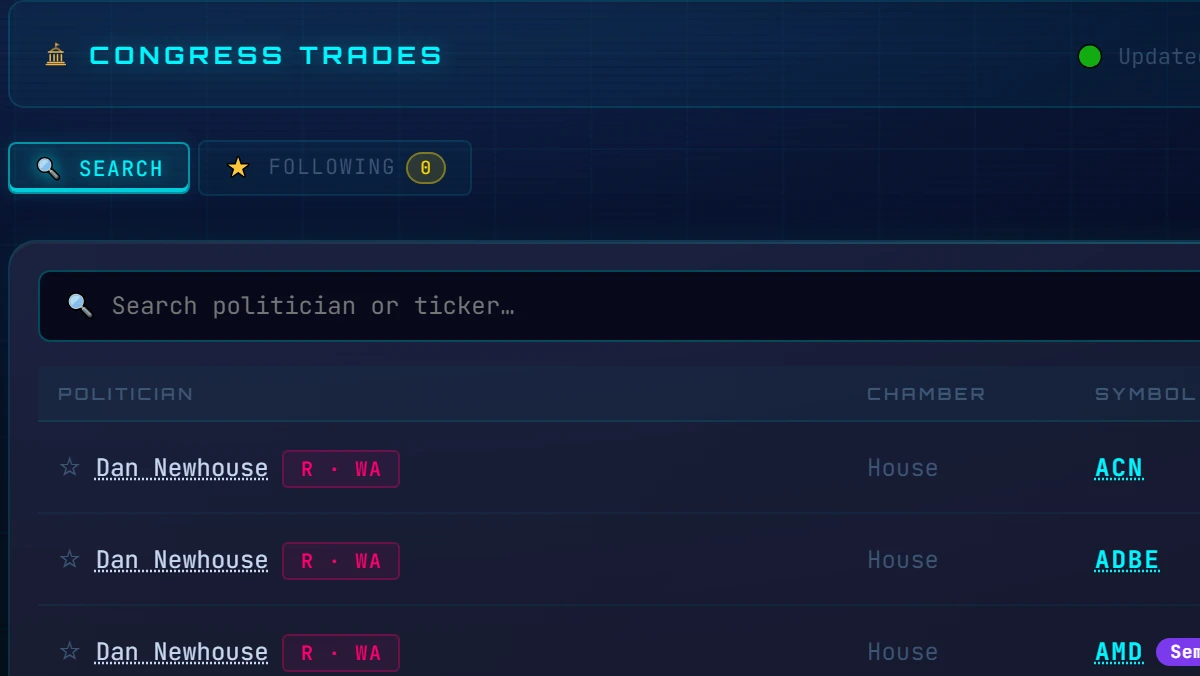
  • Congress: House + Senate STOCK Act trades, tagged by party
  • SEC insiders: Form 4 buys & sells, 13D stakes, live
  • Gov contracts: billion-dollar awards matched to public tickers
 Built on official public data
SEC EDGARHouse ClerkSenate eFDUSAspending.gov
AI rating + one-click trade

Get a second opinion, then act instantly

Not sure about a signal? Ask the built-in AI for a grounded Buy / Sell / Hold on any ticker — using your own AI key, so you control the cost. When you're ready, connect your brokerage and place the trade right from the terminal. You approve every order; nothing trades automatically.

  • AI Buy / Sell / Hold with a confidence score on any ticker
  • Bring your own key (OpenAI, Anthropic, Google & more)
  • Connect your broker and trade in one click — you stay in control
 AI rating → execution
PLTRAI verdict🤖 BUY · 78%
Ordervia your brokerTrade ▸
Pro workspace

A terminal built for serious traders

Insider Terminal is a fast native Windows app, not a slow web page. Pop panels out onto a second monitor, chart any ticker with professional tools, switch themes, and keep everything you need on screen at once — the way real trading desks work.

  • Multi-monitor pop-out panels & saveable layouts
  • Live charts on every ticker, powered by TradingView Lightweight Charts™
  • Dark themes, fast native performance, your data stays on your PC
 Your workspace
Chartspro tools
Pop-out panels2nd monitor
Local & privateon your PC
Company Intel

Every ticker, run through SEC EDGAR

Type any ticker into Company Intel and get the official company profile straight from SEC EDGAR — industry, headquarters, state of incorporation, and its full filing history. Then it goes deeper: the company's subsidiaries, pulled from its 10-K Exhibit 21 and with foreign entities flagged, and its real U.S. federal contract awards straight from USASpending.gov. All official government data, live.
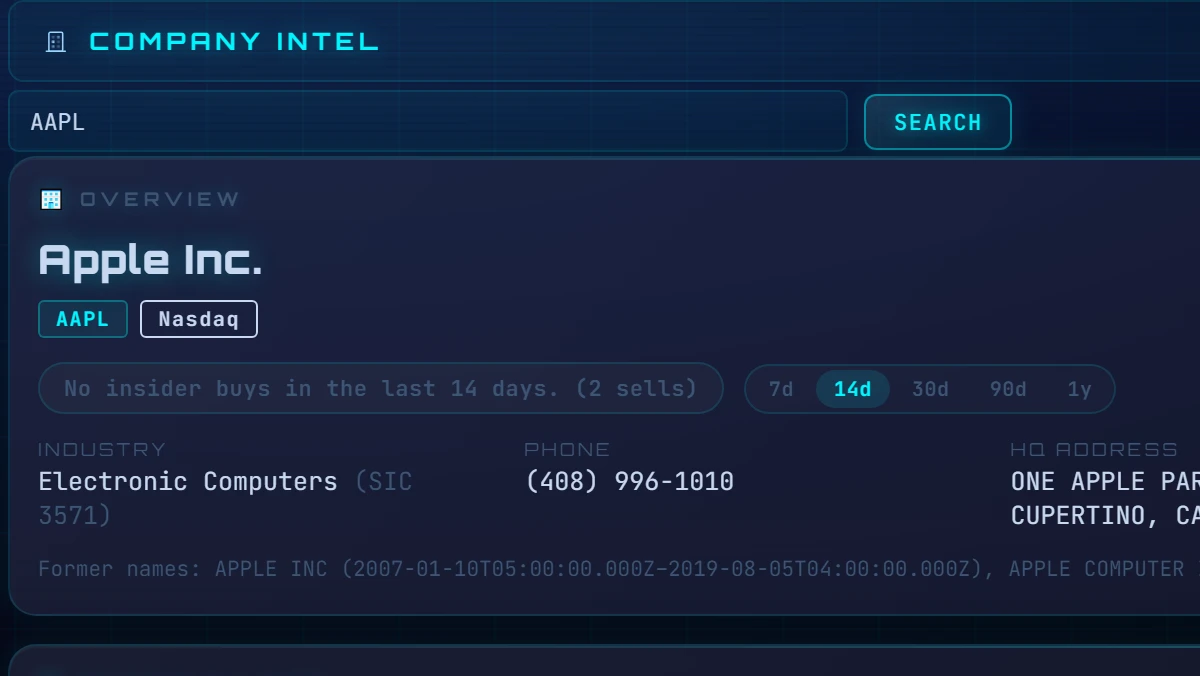
  • Official SEC EDGAR company profile — industry, HQ, incorporation, filings
  • Subsidiaries pulled from the 10-K Exhibit 21, foreign entities flagged
  • Real federal contract awards matched from USASpending.gov
 Company Intel — AAPL
ProfileSEC EDGAR
Subsidiaries10-K Exhibit 213 foreign
ContractsUSASpending.gov
Insider Buys & Sells

Every insider buy and sell, the moment it's filed — market-wide

Insider Buys & Sells monitors SEC Form 4 filings across the entire market, not just while the app happens to be open — it back-fills the last few days from SEC's daily index, so you never start from zero. A Buys / Sells / All toggle shows either side of the tape, brand-new buys carry a 🆕 TODAY freshness chip, and every company has its own insider-activity badge with a lookback you control — 7d, 14d, 30d, 90d or 1y — showing who bought, when, and how much, with a link straight to the SEC filing.
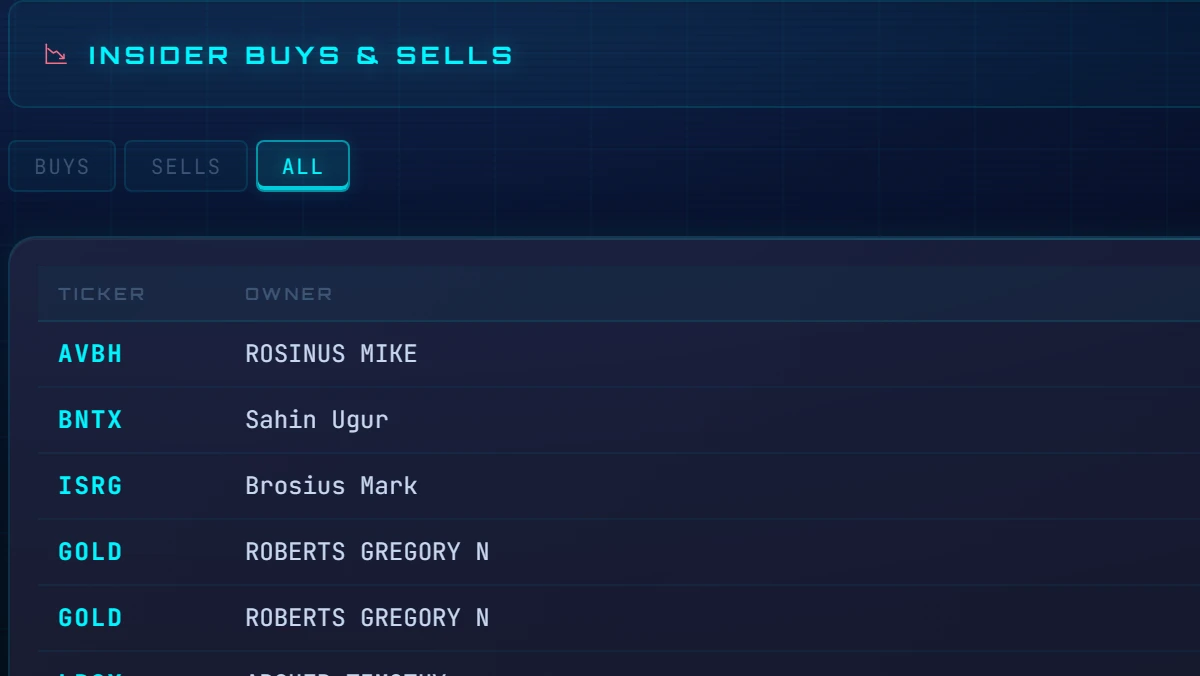
  • Market-wide SEC Form-4 monitoring, back-filled from SEC's daily index
  • 🆕 TODAY chips flag brand-new insider buys the moment they post
  • Per-company badge with 7d/14d/30d/90d/1y lookback, linked to the filing
 Insider Buys & Sells
PLTR🆕 TODAYCEO buy · $2.1M
NVDA14d lookback3 buys · $640K
DELL90d lookback1 buy · $85K
New in v1.0.21

One glowing dashboard. A leaner, faster terminal.

Your portfolio takes over the Dashboard — no boxes, no chrome — the whole app gets a cyber restyle with five accent themes, and the terminal refocuses on its five pillars with roughly 75% fewer background network calls.

 The new Dashboard — live from v1.0.21
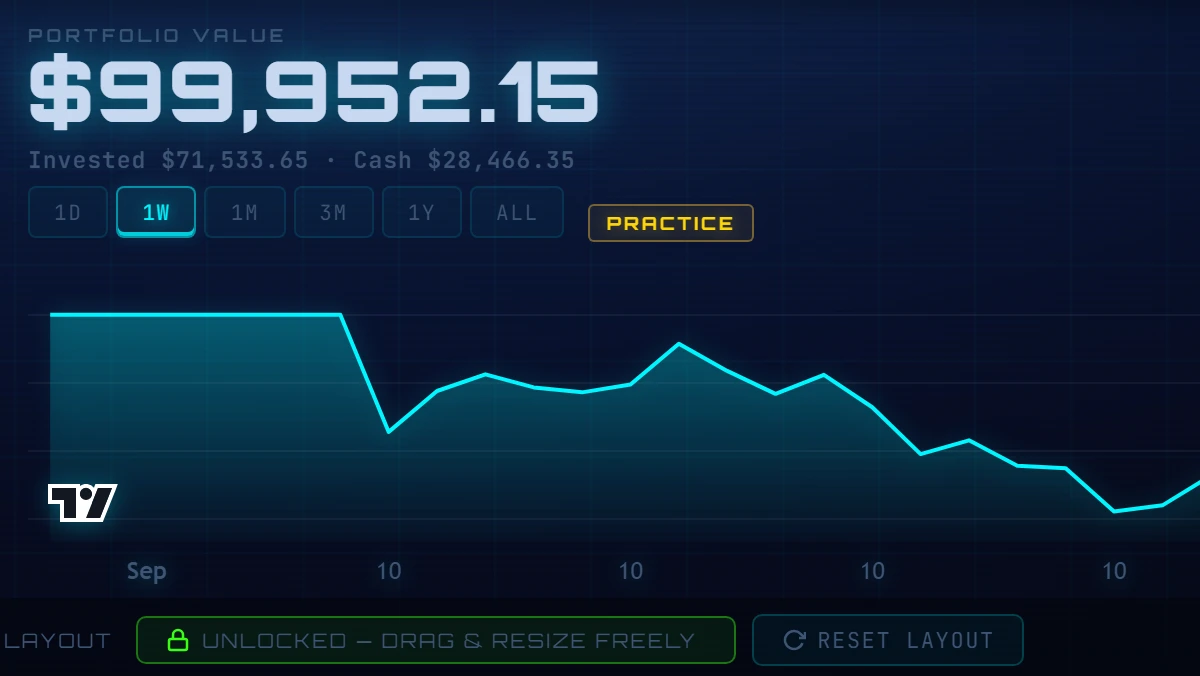
Insider Terminal v1.0.21 dashboard: portfolio value with Invested and Cash figures above an equity growth chart with 1D to ALL range tabs

The new portfolio hero

Your portfolio value sits straight on the page with today's change, your total return since day one, and an Invested · Cash line — above an equity growth chart with 1D / 1W / 1M / 3M / 1Y / ALL ranges that starts drawing from your very first day.

Leaner and faster

The terminal now focuses on its five pillars — whales, insiders, Congress, gov contracts and company intel — with about 75% fewer background network calls. Less noise, quicker everything.

Sharper where it counts

Insider Buys & Sells now live in one tab with a Buys / Sells / All toggle, 8-K filings appear right inside Company Intelligence, and Top Signals gains a quality-score column.

Up and running in minutes

How it works

1

Subscribe

Check out securely for $19.99/month. Your license key and download link arrive instantly by email.

…or start with a free 7-day trial — no card needed.
2

Install & activate

Install the Windows app, paste your key, and the terminal unlocks on your device.

3

Follow the smart money

Live signals stream in, ranked and AI-rated. Connect your broker to act on them in one click.

Optional execution

Trade with your own broker — optional.

Insider Terminal connects to your existing brokerage account through SnapTrade, a secure connectivity platform used by leading fintech apps. Execution is entirely optional — use the terminal as pure research if you prefer.

 Secure connection
Insider Terminal
Your Broker
  • Your money never moves

    Your funds and stocks stay at your brokerage. We never hold funds, never take custody, and never see your broker password — the connection uses SnapTrade's secure authorization flow.

  • You approve every order

    Every order is placed by you, in your account, with confirmation required. Built-in guardrails let you set daily spending caps and trade limits you control.

  • Execution is optional

    Prefer to just research? Skip the broker connection entirely and use Insider Terminal as a pure signal and analysis tool.

  • Check your broker first

    38 brokerages connect via SnapTrade, and 15 of them accept orders placed from inside the terminal. Several big names — including Robinhood, Schwab, Fidelity, Vanguard and Interactive Brokers — connect for tracking only. The full list is below.

Which brokers can you trade with?

SnapTrade connects 38 brokerages. 15 of them accept orders placed from inside Insider Terminal. The rest connect for portfolio tracking — you'll see your holdings and P&L in the terminal, but you'll place the order in your broker's own app. Check yours before you subscribe.

Trade directly from the terminal
United States
  • E*Trade
  • Webull US
  • tastytrade
  • Public
  • moomoo
Canada, UK, Europe & Australia
  • Questrade
  • Wealthsimple
  • Webull Canada
  • Trading212
  • Stake Australia
Crypto only
  • Coinbase
  • Kraken
  • Binance
Practice accounts
  • Alpaca Paper
  • Trading212 Practice
Connect to track — place orders at your broker
  • Robinhood
  • Charles Schwab
  • Fidelity
  • Vanguard
  • Interactive Brokers
  • Chase
  • Citi
  • Wells Fargo
  • U.S. Bank
  • PNC
  • Empower
  • TIAA
  • Transamerica
  • TD Direct Investing
  • BMO InvestorLine
  • CIBC Investor's Edge
  • DEGIRO
  • eToro
  • Zerodha
  • Upstox
  • AJ Bell
  • CommSec
  • Bux

These connect fine and the terminal reads them normally — you just can't send the order from here. Whether a broker accepts orders is set by SnapTrade and the broker, not by us.

Verified 3 August 2026. SnapTrade adds and changes broker coverage over time, so this list can move — if trading with a specific broker is the reason you're buying, start with the free trial and confirm it works for you first.

Insider Terminal is not a broker-dealer or investment adviser. Brokerage connectivity is provided through SnapTrade. All trading decisions are yours.

Why it's different

Research is everywhere. Acting on it isn't.

Research-only tools Others

  • Show you data, then leave you to act elsewhere
  • Signals scattered across separate tabs and tools
  • No opinion — you interpret every row yourself
  • Switch to your broker in another window to trade

Insider Terminal Insider Terminal

  • Intelligence and execution in one window
  • All signals ranked together on one Best Trades board
  • A grounded AI Buy / Sell / Hold on every ticker
  • Connect your broker and act on a signal in one click
Why Insider Terminal

Trackers show you. Terminals charge more.

Insider Terminal does both — for $19.99.

Feature Insider Terminal Unusual Whales QuiverQuant TrendSpider
Price / month $19.99 flat from ~$32* $25 from $82
Congress trades
Insider buys (Form 4)
Whale funds (13F)
Federal contract awards
AI analyst — your choice of 13 providers limited (1 assistant) limited (sentiment) limited (1 assistant)
Trade from the app (broker connect)
Native desktop app

*Published pricing and features as of July 2026; competitors' pages may change. Sources: each product's official pricing page.

Every public money trail — Washington's and Wall Street's — in one terminal you can actually trade from.

Get Insider Terminal — $19.99/mo
A note from the founder

I built Insider Terminal because I was tired of finding out what Congress bought two weeks after they bought it.

The information was always public — sitting in filings nobody reads, on websites nobody visits. So I built the terminal I wanted: one screen that reads every money trail the law forces into the open, ranks it, and lets me act.

No hype, no guru courses, no “guaranteed returns” — just the public record, read faster. I hope it serves you as well as it serves me.

— The founder
Simple pricing

Two plans. Same everything included.

Monthly
$19.99/mo
Billed monthly · cancel anytime
  • Live Best Trades board with all signals
  • Congress, insider & government-contract feeds
  • AI Buy / Sell / Hold ratings (your own key)
  • Brokerage connection & one-click trading with supported brokers
  • Live charts, multi-monitor pop-out panels
  • Free updates while subscribed
  • Practice Mode — $100k simulated account included
Get Monthly
For Windows 10/11 macOS — coming soon

Secure checkout via Stripe. Works on Windows 10 & 11.

Secure 256-bit encrypted checkout — powered by Stripe

Sales tax / VAT is calculated at checkout.

Payments are processed securely by Stripe.

Not sure? Try everything free for 7 days first. · Refund Policy

Why we built it

Independent software, built by traders.

Insider Terminal is built for self-directed investors who do their own research. We believe the signals that move markets should be visible and understandable — not locked away in slow government PDFs or buried in a black box. Everything the terminal shows comes from real public data: SEC filings, Congressional disclosures, and government contract records.

Real public data

Every signal traces back to an official public source — SEC EDGAR, House/Senate disclosures, USAspending.gov. No invented scores, no black box.

No hype

We don't promise profits or guaranteed returns. Trading involves real risk, and every decision is yours to make.

Not a broker, not an advisor

Insider Terminal is a research and execution tool, not a broker-dealer or investment adviser. We never hold your money or give personalized advice.

7-day free trial

Try Insider Terminal free for 7 days.

Full app + $100,000 practice account. No card needed.

No card needed — when your 7 days end, the trial simply ends. No charges, nothing to cancel.

Good to know

Frequently asked questions

Is Insider Terminal financial advice?+
No. Insider Terminal is an informational research and data tool. It does not provide financial, investment or trading advice and does not guarantee any outcome. All trading involves risk. You make your own decisions.
Is there a free trial?+
Yes. 7 days, full app, no card needed. Enter your email in the trial form, pass the quick human check, and your trial key arrives by email in seconds. When the trial ends it simply ends — no charges, nothing to cancel.
Where does the data come from?+
From official public sources — SEC EDGAR, the House Clerk and Senate eFD STOCK Act disclosures, and USAspending.gov. The terminal collects, parses and ranks them for you in real time.
Which broker can I connect?+
38 brokerages connect through SnapTrade, and 15 of them accept orders placed from inside Insider Terminal — E*Trade, Webull, tastytrade, Public, moomoo, Questrade, Wealthsimple, Trading212, Stake Australia, plus Coinbase, Kraken and Binance for crypto. Others — including Robinhood, Schwab, Fidelity, Vanguard and Interactive Brokers — connect for portfolio tracking only, so you place those orders in your broker's own app. See the full list in the broker section. You stay in full control of every order; nothing is ever traded automatically without you.
What do I need to run it?+
A Windows 10 or 11 PC. AI ratings use your own AI provider key (OpenAI, Anthropic, Google and others) so you control your usage and cost.
Can I cancel anytime?+
Yes. Both the monthly and yearly plans can be cancelled anytime from your customer portal. Your access continues until the end of the paid period.
How do I get my license key?+
Instantly by email the moment you check out, along with your download link. Paste the key into the app once to activate it on your device.
Is there a Mac version?+
Not yet. Insider Terminal is a Windows 10/11 desktop app today. A macOS version is planned, but we don't have a release date to share yet.
Can I try it without risking real money?+
Yes — twice over. Start with the free 7-day trial: the full app, no card needed. And every subscription includes Practice Mode, a $100,000 simulated account that's on by default when you set up the terminal — explore every signal, chart and trading tool with paper money, and connect your real broker via SnapTrade only when you're ready.

See the smart money before the crowd.

Live signals, ranked and AI-rated, with execution built in — for $19.99/month.

Get Insider Terminal
For Windows 10/11 macOS — coming soon